COM Port Communication Test
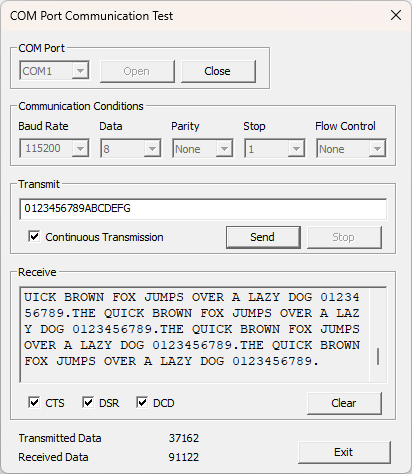
This function allows you to test virtual COM port communication. You can verify whether the added virtual COM ports are communicating correctly.
To launch this tool, go to the SI-VCP main screen menu and click [Tools] -> [COM Port Communication Test].
To exit, click the [×] button at the top right of the window or the [Exit] button at the bottom of the screen.
COM Port
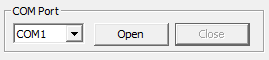
Select the virtual COM port you want to test.
The pull-down menu displays the virtual COM ports added in SI-VCP.
Click the [Open] button to open the selected COM port.
Click the [Close] button to close the COM port.
Communication Conditions

Select the communication conditions for the target COM port.
Choose the conditions from the pull-down menus. You can also manually enter a custom baud rate.
About Communication Conditions
The communication conditions must match the serial communication settings of the target SI series unit. Discrepancies in these settings may cause garbled characters or communication errors.
Transmit
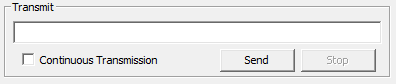
Enter the string you want to send into the text box.
Click the [Send] button to transmit the entered string.
If you check [Continuous Transmission], clicking the [Send] button will transmit the entered string repeatedly.
To stop continuous transmission, click the [Stop] button.
Receive
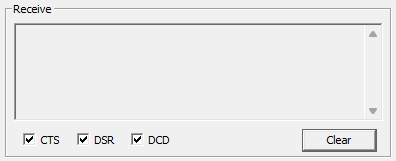
Received text data is displayed in the text box. Non-printable characters, such as control codes, are displayed as dots (.).
The text box can display up to 10,000 characters; once this limit is reached, older data is deleted sequentially.
Click the [Clear] button to erase the contents of the text box.
The status of the CTS, DSR, and DCD signals is indicated by the check state of the [CTS], [DSR], and [DCD] boxes.
Display of Control Line Status
Since SI-VCP does not have a function to display the real-time control line status of the SI series unit, the CTS, DSR, and DCD states are always displayed as "On."
If the function to notify network connection status via control lines is enabled, the network connection status with the SI series unit can be reported to the application as a change in the status of the virtual COM port's control lines (DCD/DSR).
For details, please refer to Notification of Network Connection Status via Control Lines.
Status

Displays the number of sent and received data bytes.
These counts are reset to 0 when the COM port is opened.